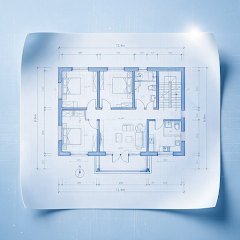
CAD VIEWING ON ANDROID / IOS
Take your DWG drawings into the field.
Open DWG locally on your phone. Control layers, check dimensions, add markup and export your review.


Android / iOS · Check the relevant store for compatibility and features

Your file. Ready when you need it.
A local conversion engine on the device parses DWG into a vector drawing. The default local workflow requires no upload and works offline once the file is saved on your phone.
Start viewing in three steps.
- 01
Get the app
Install the Android version from Google Play; for iOS, check release availability and installation requirements on the App Store.
Google Play - 02
Open a drawing
Save the complete DWG file to your device and open it through the system picker.
- 03
Start your review
Adjust layers and views, then measure, mark up or export as needed.
Know what is supported.
| Item | Details |
|---|---|
| Platform | Android and iOS phones and tablets; check Google Play and the App Store for device compatibility |
| File formats | DWG and DXF |
| Views | Model and Layout views included in your drawing file |
| Review tools | Length, continuous, area and angle measurements; hide or isolate layers; five markup tools |
| Export | PDF, PNG and DXF, optionally including markup; no full CAD source editing |
FAQ
Common questions
Get answers about files, offline use and export before you open a drawing.
GOOGLE PLAY · APP STORE
Open your next drawing on your phone.
Install CAD Assistant to view, measure, mark up and export locally.
Check the relevant app store for device compatibility, features and installation requirements